Subscribe to a Verli plan
Standard and Premium both include 10 hours of live transcription and translation every month. You buy a plan inside Verli, and it works everywhere you sign in with the same account.
Which Verli are you using?
Choose a plan
If you see Sign up / Sign in at the top right, sign in first. Your plan belongs to your Verli account, not to one computer.
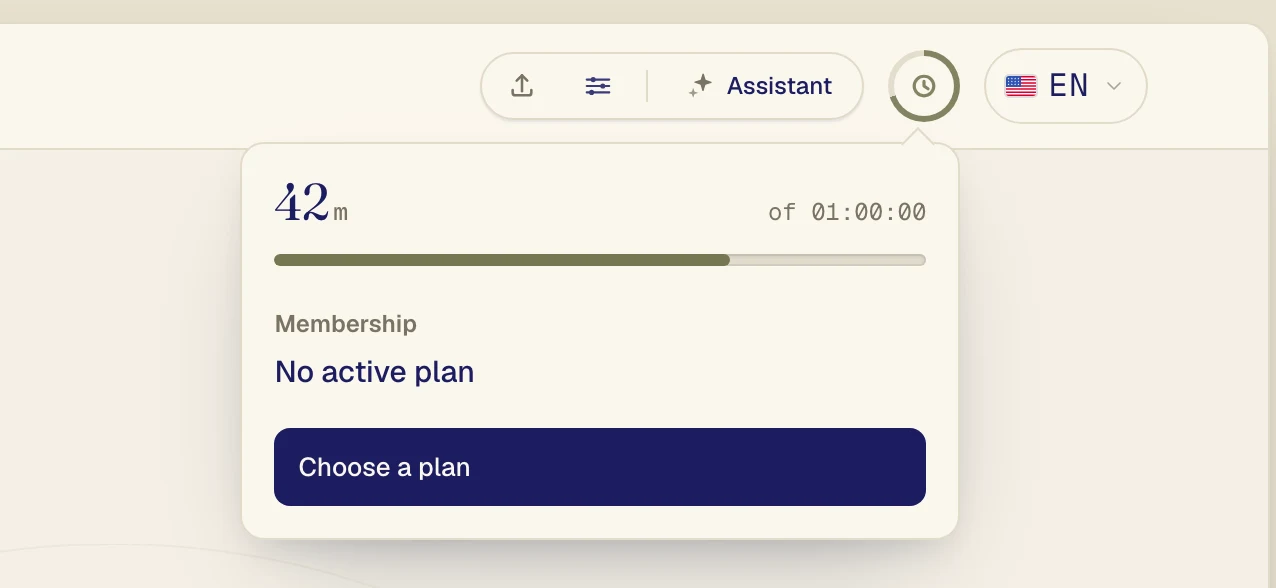
Click the round clock icon at the top right. It shows how many minutes you have left.
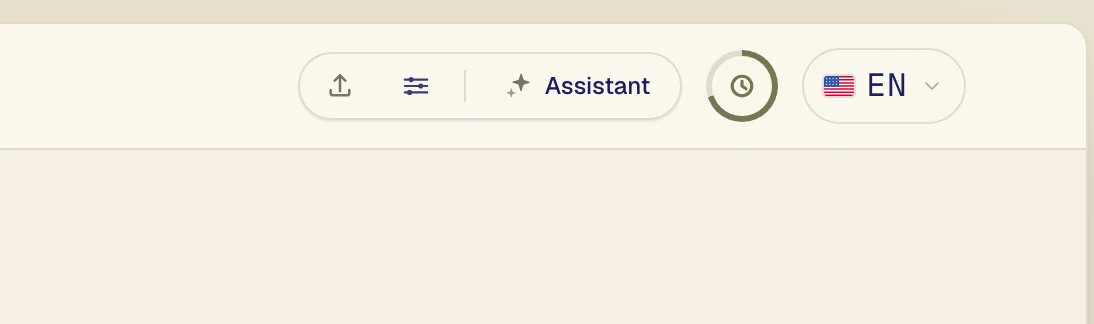
Click Choose a plan.
Pick Standard monthly or Premium monthly. Premium adds more natural voice translation and lets more people follow your live links. To pay for a whole year instead, click Yearly if you see it. A year costs about the same as 10 months.
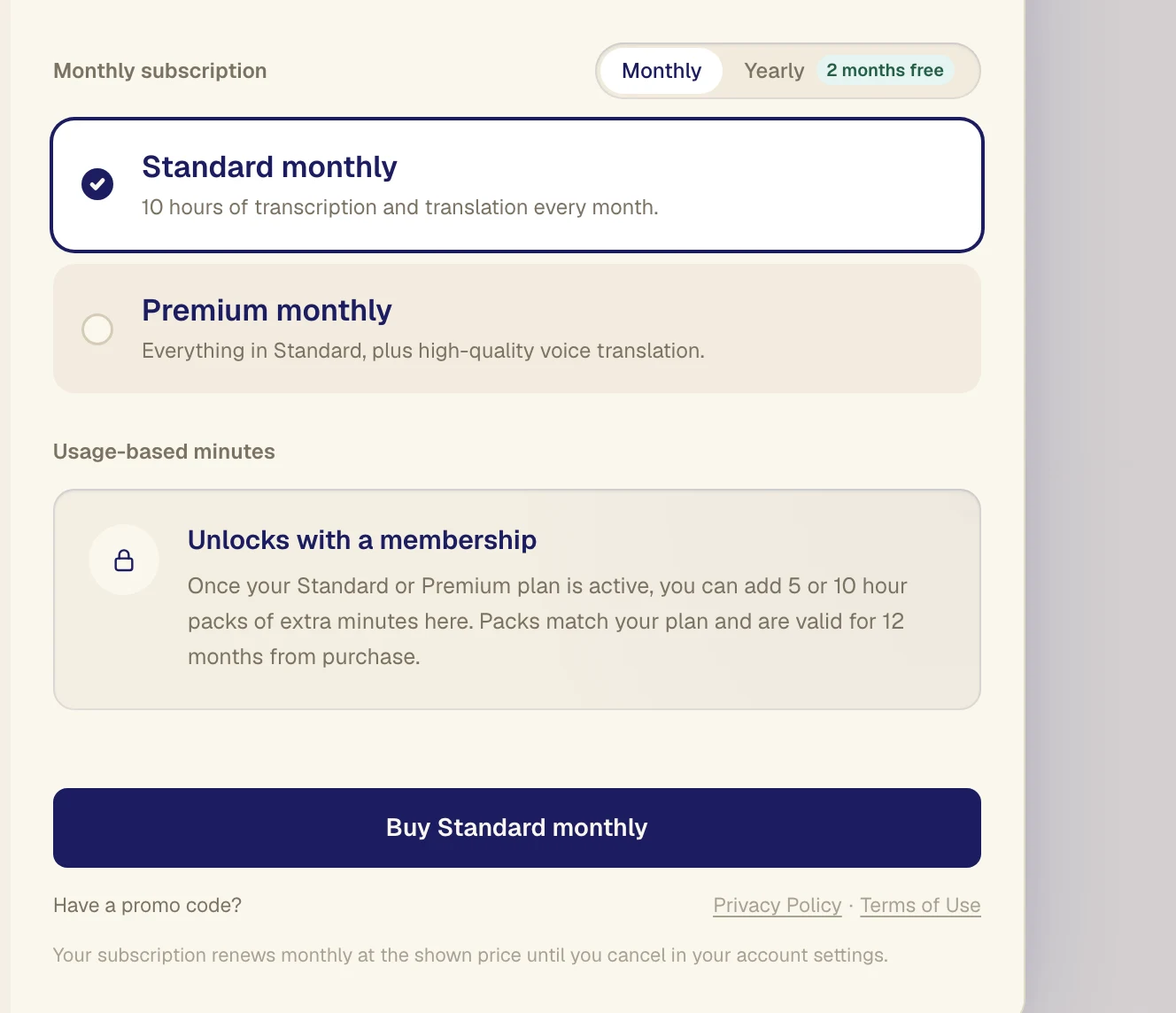
Click the button under the plans. It names the plan you picked, like Buy Standard monthly.
Pay
A secure payment form opens in the same window. Enter your card details and confirm.
If you got Verli from the Mac App Store, Apple shows its own payment window. Confirm with Touch ID or your Apple Account password.
If you downloaded Verli from verli.app, a secure payment form opens in the same window. Enter your card details and confirm.
A new tab opens with the payment page. Enter your card details and confirm, then go back to Verli.
When the payment goes through, click the clock icon again. It shows your plan and your new minutes.
Change or cancel your plan
Open your account menu and choose Manage subscription. The billing page opens in your browser, where you can update your card or cancel. Sign in there with the email you subscribed with.
If you subscribed in the Mac App Store, Apple manages your plan instead, and Manage subscription opens your App Store subscriptions.
Still stuck?
Send us a message from the support page. Tell us which Verli you use and what you see on screen, and we'll help you sort it out.
Contact support