Engineering
How we translate live captions into many languages

Verli's multilingual rooms let one person speak while everyone else reads live captions in their own language. A sermon in English, for example, can appear in Korean, Ukrainian, Persian, Japanese and Vietnamese on the phones of people sitting in church. One speech recognition stream from the speaker feeds one translation loop on the server.
This article follows that loop to the viewer's phone and explains why the words keep changing. We chose the translation model in a separate test, written up in our LLM translation test.
One stream in, many languages out
That loop starts at the speaker's app, which streams audio to Soniox speech recognition and still shows the speaker their own language pair. As the person talks, the app sends the line being spoken to our server no more than once every 0.3 seconds, and it sends each finished line separately.
After each update, the server runs the room's translation loop. While a line is still being spoken, the loop translates it into every extra language a viewer picked, in one LLM call about every 1.5 seconds, skipping the call when nothing has changed. When the line is finished, the loop makes the final translation and locks it. Locked means it will not change again, so viewers see unfinished text in grey and locked text in full color.
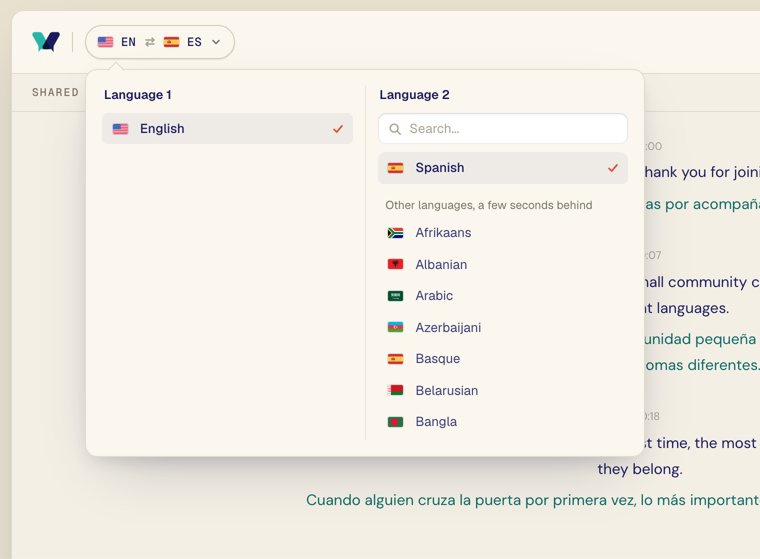
Two rules keep the number of translation calls linked to languages rather than people. Each room runs one loop at a time, whatever the number of viewers, and most steps make one call for all languages. A language is translated only while someone wants it, confirmed by each phone every 30 seconds. A language with no confirmation for 75 seconds gets no new translations. So 50 people reading Korean need no more translation calls than one.
The loop runs on Vercel serverless functions, with no long-running server. A lock in MongoDB, a record that one loop can hold at a time, makes sure each room has a single copy running. Captions reach viewers over the same server-sent events stream that carries the original transcript. We wrote up why we use SSE for that.
Why the words on screen keep changing
The words change because of how the loop talks to the model. The HTTP APIs we tested stream their answers, but each request has to carry a complete prompt, and none of them lets you add to a prompt once it is sent. Some realtime APIs do stream input, but this loop doesn't use one. So to show a translation while someone is mid-sentence, we send the text recognized so far again and again, and each new translation can reword what a reader has already seen.
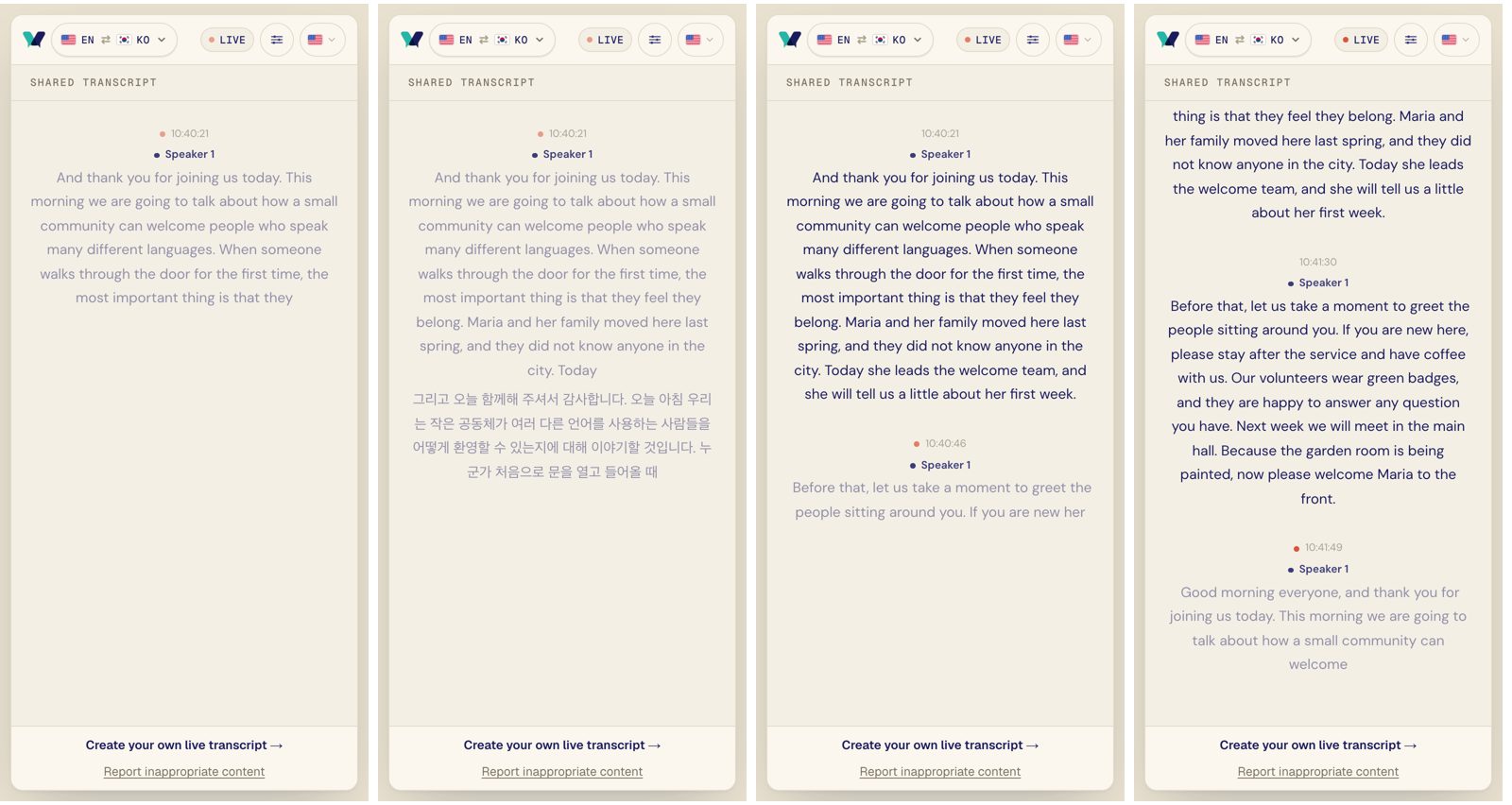
An illustration, not a recording. Grey text is an unfinished translation; the last version is final.
We measured how often that rewording happens by replaying seven recorded talks through each model, with every model seeing exactly the same live transcript.
| Setup | Rewrites | With rule | Delay | Delay with rule |
|---|---|---|---|---|
| DeepSeek V4.1 Flash on Wafer | 1.40 | 0.16 | 1.36 s | 2.77 s |
| GPT-6 Luna | 1.35 | 0.13 | 2.34 s | 3.61 s |
| Gemini 2.5 Flash-Lite | 2.12 | 0.16 | 1.23 s | 2.67 s |
| gpt-oss-120b, thinking low | 2.37 | 0.18 | 0.99 s | 2.42 s |
| Soniox, one stream per language | 0 | n/a | 0.53 s | n/a |
Measured November 1, 2026, on seven talks translated into three to five languages each. Rewrites are words rewritten on screen for every word of final text. The rule is the agreement rule described below. Delay is the median time from a word being spoken to a translation that covers it appearing on screen.
Across the twelve LLM setups in our main runs, re-translating about every 1.5 seconds rewrote 1.1 to 2.5 words on screen for every word of final text, counting characters in Chinese and Japanese. The agreement rule needs no extra API calls. While a sentence is unfinished, it shows only words the last two translations agree on, cutting rewrites to 0.12 to 0.19 per final word and adding about 1.4 seconds of delay.
Soniox's own translation never rewrites, because it translates as it recognizes, word by word, and appeared in 0.53 seconds by a measure that slightly favors it. It needs one stream per language, though, so a room in three to five languages cost about four times as much as our DeepSeek setup. It also scored lowest on quality of the usable setups, as our LLM translation test shows. Verli's rooms show every update as it arrives, without the agreement rule.
Long lines in our first production test
The replay tests showed the cost of sending the same text again, but the first production test showed a problem the replays had missed. We tested on November 2, 2026, on our own account, with synthetic speech made with macOS text-to-speech and a phone viewer who picked five extra languages.
Soniox finishes a line when the speaker pauses. It does not wait for a full stop, so our test speech made long lines of four sentences or so, about 350 to 450 characters each, and every grey update sent the whole growing line to be translated. We try three models in a set order and move to the next when one takes too long. On one long line in five languages, timed with no time limit, those three models wrote between 500 and 700 tokens and took 9 to 13 seconds. Our limit was 4 seconds per model, so on long lines every model timed out.
Of 11 calls, 6 failed and 5 succeeded only on a backup model. The first line got a locked translation in Korean only. Once all five languages were on, grey updates stopped, and the three lines after the first got no translation.
Our local tests had passed because the fake host sent one short sentence per line, so a call never had much to translate. Real speech recognition does not split text where a fake host does.
Translating sentence by sentence inside a line
The production test showed that line length was the reason calls ran out of time, so the change was to translate shorter pieces inside each line. Usually only the last sentence in a line is still changing. So the loop now translates each whole sentence once and keeps it. Only the sentence still being spoken is translated again, when it has changed and 1.5 seconds have passed. When the line finishes, it reuses the kept sentences, translates only what came after them, and locks the line.
A sentence counts as whole once it ends in a full stop, question mark or exclamation mark and the speaker has gone on past it. If speech recognition later changes a kept sentence, that sentence and everything after it are translated again. Each call also gets the text before it as context, so a sentence is not translated on its own.
On the viewer's screen, kept sentences show in full color in the original and in every translation, and only the sentence being spoken stays grey. Most calls now carry that sentence or the sentences just finished, rather than the whole line. A language a viewer picked partway through a line still gets the whole line when it finishes, in a second call alongside the first. We also raised the time limit from 4 seconds to 8 seconds per model before moving to a backup model. Both changes shipped in the same release, so the table shows the two changes together and does not show how much each one helped on its own.
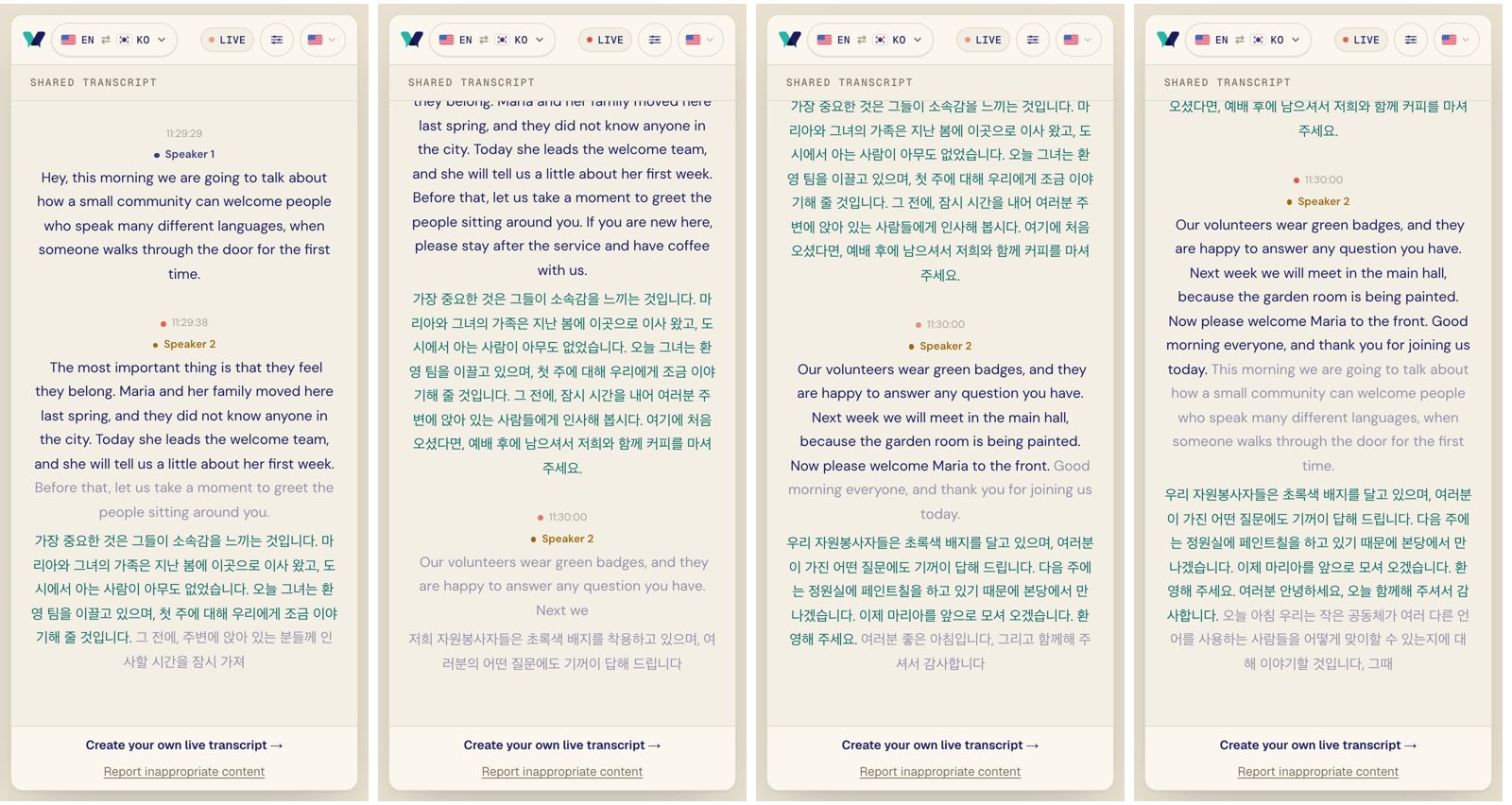
We ran the same test again after the change. It also used synthetic speech made with macOS text-to-speech and one phone viewer, with four counted lines in the five-language run and two counted lines in the two-language run. It did not cover real speakers, several viewers, or long talks. The opening line of each run ended at or before the viewer's first pick, so the table does not count it.
| Production test, November 2 | Whole lines | By sentence, 5 languages | By sentence, 2 languages |
|---|---|---|---|
| Lines locked after the first pick | 1 of 4, Korean only | 4 of 4, all 5 languages | 2 of 2, both languages |
| Time to lock after a line ended | not recorded | 0.7 to 4.4 s | 1.4 to 1.5 s |
| Gap between grey updates, median | stopped at 5 languages | 1.6 s | 1.5 s |
| Failed calls | 6 of 11 | 0 of 67 | 0 of 34 |
| Calls that needed a backup model | 5 of 11 | 0 | 0 |
The five-language run lasted just under two minutes, and its grey updates arrived a median 1.6 seconds apart, close to the 1.5 second target.
Test with real speech, in production
The second test was short and synthetic, which limits what it shows. Still, the first one taught us the main lesson: real speech recognition ends a line at a pause, so its lines often run long, and the test data we wrote ourselves never did.
If you build live caption translation, run your first tests on actual recordings at their real length and in as many languages as a real room will use, then check the server's records for calls, failures, backup use, and time from a line ending to its lock. Verli keeps those totals for every room with extra languages, which is how we compared the two runs. Our production tests so far used synthetic speech played into real speech recognition, so we still need a longer test with real speakers.
Verli's multilingual rooms are part of the group plans, and churches can read how they work for a service on our church translation page.