Guide
Translated captions in Zoom, Teams and Google Meet

Zoom, Microsoft Teams and Google Meet all translate captions live, but only on paid business plans. Teams needs Teams Premium at $10 per user per month or a Microsoft 365 Copilot license. Google Meet needs Workspace Business Standard at $14 per user per month or a higher edition. Zoom needs Business Plus or an Enterprise plan, or a translation add-on listed at $4.17 a month. On Zoom and Teams, the organizer's license decides whether guests get translated captions, so you can't add them to someone else's meeting. Teams also deletes captions when the meeting ends.
Every fact below comes from Zoom, Microsoft and Google help and pricing pages in November 2026.
The three side by side
 Zoom
- Plans with translated captions
- Business Plus, Enterprise, or a translation add-on
- Lowest price
- $4.17 a month add-on
- Caption languages
- 36, translated between most of them
- License that counts
- The host's
- Kept after the meeting
- Not stated
 Microsoft Teams
- Plans with translated captions
- Teams Premium or Microsoft 365 Copilot
- Lowest price
- $10 per user per month
- Caption languages
- Spoken in 57 locales, translated into 31
- License that counts
- The organizer's, or each licensed attendee's
- Kept after the meeting
- Not saved
 Google Meet
- Plans with translated captions
- Business Standard, Business Plus, Enterprise Standard, Enterprise Plus
- Lowest price
- $14 per user per month
- Caption languages
- 69, some in beta
- License that counts
- Not stated
- Kept after the meeting
- Burned into a recording
| Platform | Plans with translated captions | Lowest price | Caption languages |
|---|---|---|---|
| Zoom | Business Plus, Enterprise, or a translation add-on | $4.17 a month add-on | 36, translated between most of them |
| Microsoft Teams | Teams Premium or Microsoft 365 Copilot | $10 per user per month | Spoken in 57 locales, translated into 31 |
| Google Meet | Business Standard, Business Plus, Enterprise Standard, Enterprise Plus | $14 per user per month | 69, some in beta |
Zoom
Zoom's help page shows translated captions on Business Plus, Enterprise Essentials, Enterprise Plus and Enterprise Premier accounts, or to users assigned the Translated Captions add-on. The help page sends everyone else to sales for that add-on. Zoom's pricing page lists a Live Translation add-on at $4.17 a month, billed yearly, that covers "live audio translation and translated captions". The plans on that page are priced per user, but the add-on line only says "per month". Check the checkout before you budget for a team.
The host sets which language pairs the meeting offers. After that, participants pick their own caption language without asking the host. Zoom covers 36 languages and translates between most pairs of them, but not between regional variants such as French from France and French from Canada.
Zoom's viewing requirements name only the desktop app and the web app, not the phone apps. Its help page warns that "translated captions may not be accurate" and that some accounts in regulated industries, such as healthcare and higher education, may not have access. You also have to turn on automated captions before translation works.
The same Live Translation add-on also speaks translations aloud, in a smaller set of languages than the captions cover. Zoom's help pages do not say whether translated captions are kept after the meeting.
Microsoft Teams
Live translated captions come with Teams Premium or Microsoft 365 Copilot, according to Microsoft's caption guide. Teams Premium costs $10 per user per month, paid yearly. If the organizer has the license, everyone in the meeting can use translated captions. If only an attendee has it, only that attendee sees the Translate to option.
Teams recognizes speech in 57 locales and translates captions into 31 languages. With multilingual speech recognition, each person can set the language they speak, which helps in a meeting where people switch between, say, English and Spanish. That option is not supported in Teams town halls. In town halls, the organizer picks the caption languages in advance: up to six, or ten with Premium.
Teams keeps nothing after the call. Microsoft's caption page says Teams doesn't save captions, so translated captions are gone when the meeting ends. For a translated record, you need another tool.
For speech, the Interpreter agent translates what people say into speech in another language. It is part of the Microsoft 365 Copilot license, with 20 hours a month per user. Microsoft's admin page lists 9 languages and its user page lists 10, so the count depends on which page you read.
Google Meet
Google's help page puts translated captions on Business Standard, Business Plus, Enterprise Standard, Enterprise Plus and Google AI Pro for Education. In Workspace pricing, Business Standard is $14 and Business Plus $22 per user per month on an annual plan, or $16.80 and $26.40 on a flexible one. The cheaper Business Starter edition is not on the list.
Meet lists 69 languages and translates to and from specific ones, so English does not have to be one of the pair. Google says the languages are "gradually rolling out" and some are in beta. Each person picks Translate from and Translate to in their own caption settings. Google's help page lists only Workspace editions, and it does not say whether a guest from outside the organization can turn on translated captions in a meeting hosted on one.
To keep captions, turn on Record captions when you record. Meet then burns them into the video. Meet lets you scroll back through earlier captions, but only for the time you were in the meeting with captions on.
Meet's speech translation speaks the translation in a voice that sounds like the speaker. It lists 63 languages and limits each meeting to 90 minutes on Workspace business and enterprise plans, or 8 hours on Google AI Ultra. No audio is saved, and it does not work in live streams or recordings.
What the built-in captions leave out
All three tie translation to the meeting's paid plan, and that is the problem for anyone who joins other people's meetings. A consultant on a client's Zoom call, a parent at a school meeting on Teams, or a job candidate on Google Meet gets translated captions only if the other side pays for them. You can't add them from your side.
The second gap is the record. Teams throws away captions when the meeting ends, and Meet keeps them only by burning them into a recording.
When a separate app makes sense
If your organization already pays for Teams Premium, Copilot or Workspace Business Standard, use the built-in captions for meetings you run. They are already paid for and need nothing installed.
A separate app helps when you join meetings on someone else's plan, or when nobody in the meeting has the right license. Verli is one of them. It translates the meeting audio playing on your own computer, so it works on any Zoom, Teams or Meet plan, including free ones. No bot joins the call. It covers 60+ languages, saves the transcript with the translation, and can write an AI summary afterward. Paid plans start at $7.99 a month for 10 hours, and the first 60 minutes are free.
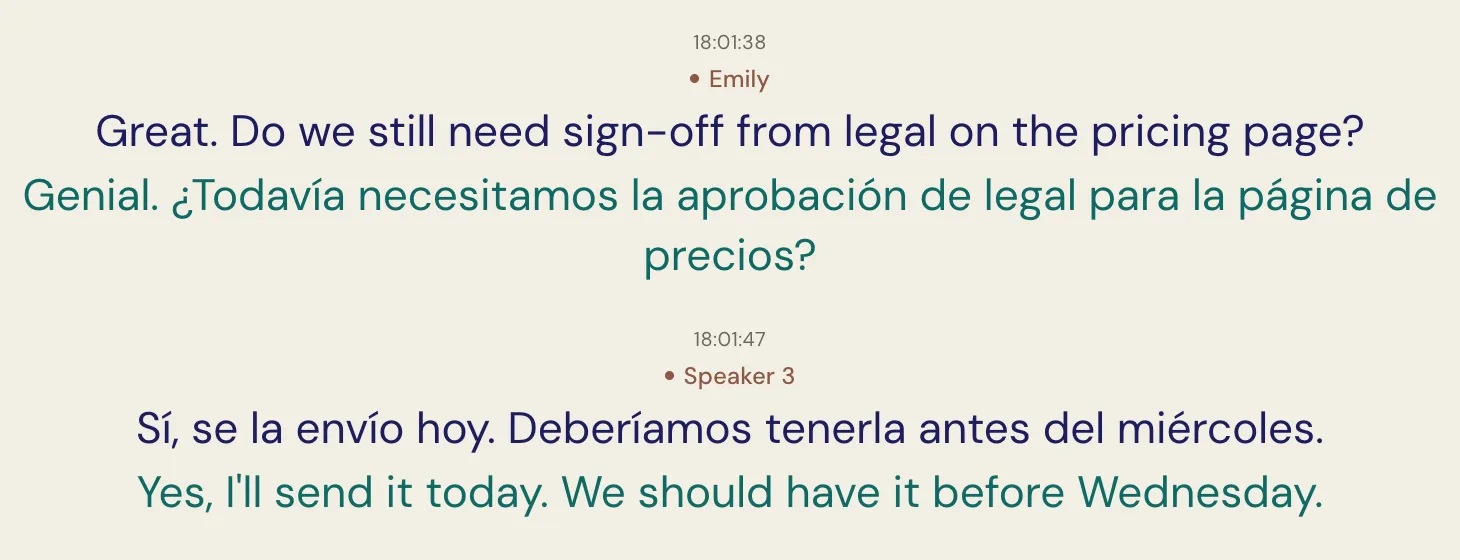
It has limits too. Verli needs a computer. Use the Mac or Windows app, or Chrome on the web, which can share a meeting tab's sound. It translates only on your screen, unless you send others a live link to read along. Spoken translation plays only in your own headphones, on paid plans.
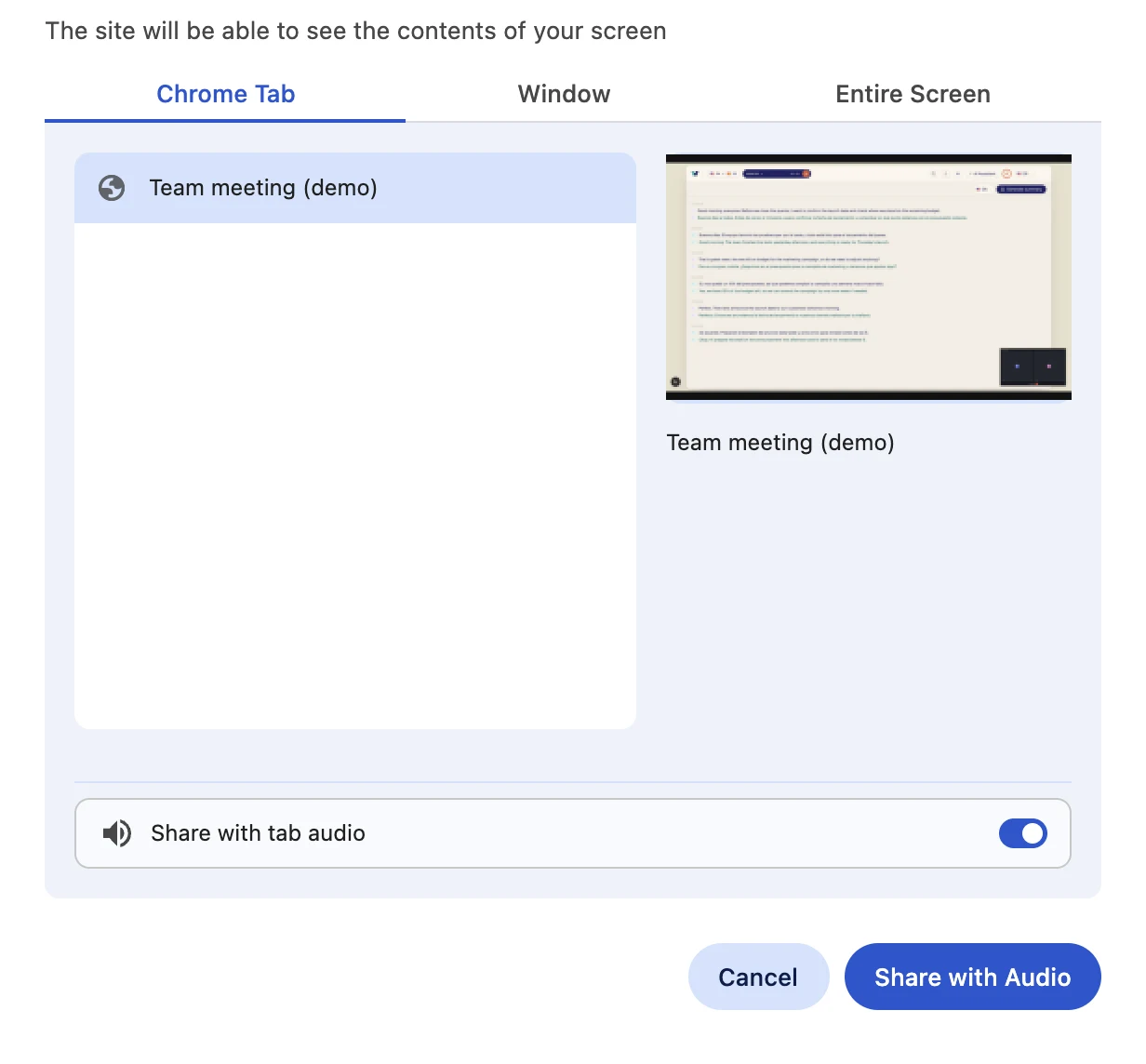
We have setup guides for Zoom, Microsoft Teams and Google Meet.